

Macro Systems Blog
The modern office only resembles the office of the past. Sure there are still desks and chairs and cork boards hanging on the walls. There are still printers, copiers, and maybe even a fax machine (although many times nowadays all of those tasks are handled by the same machine). The differences, though often understated, are prevalent; with advancements in technology being the most noteworthy change. The most evident of which, is the widespread use of employee-owned mobile devices.
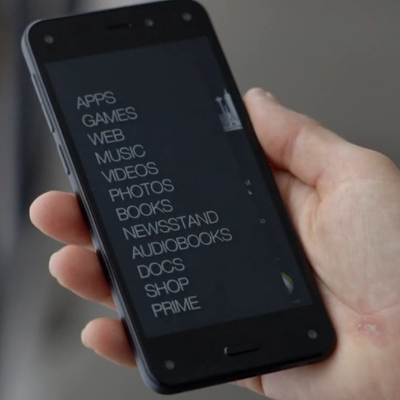
There’s no denying that smartphones are the predominant consumer technology in the world at the moment. Over a billion smartphones were sold each of the past two years, with growth coming in at a fairly impressive 23 percent from 2013 to 2014. Growth is projected to decrease slightly in future years (around 12 percent in 2015), but it’s obvious by now, smartphone usage will be the principal manner people will access the Internet going forward.
Remote workers are changing the way that both employees and their employers are viewing their workspace. It’s been proven that businesses can mitigate their overhead costs and increase their employee retention rate by allowing their team to work from home, but without the proper technology, they have no chance of being as productive as they can be if they were in the office.
Just months after releasing their newest operating system, Windows 10, Microsoft is now updating the world’s most popular productivity software. Office 2016 makes several improvements over the Office 2013 versions of Word, Excel, PowerPoint, and the other applications that businesses from all over the world rely on to stay productive. The software, which focuses on making productivity and cooperation possible, has gotten a substantial upgrade in collaborative features.
If you’ve ever tried to work while out of the office on your smartphone or tablet, you’ll have realized that mobile devices aren’t the optimal productivity machine to get the most quality work done. However, if you take advantage of the proper gadgets, you can take back your productivity and continue to get work done, even under the worst circumstances.
Does your office still use a fax machine? You know that it’s an outdated piece of equipment, but this fact might not deter its continued use if you don’t care about the latest technology (we admit that not everyone does). Perhaps by taking a look at all the money wasted by using a fax machine, we can convince you otherwise.
Wearable technology isn’t a new concept, but lately it’s been exploding in popularity. People love the fact that they can use their watch to perform various features that a smartphone can accomplish, and they enjoy how their workouts can be monitored by various health sensory-type devices. However, is this obsession with wearable technology going to amount to anything, or will it be a notorious flop?
Have you ever wondered how the Internet is capable of connecting countries on the other side of the world? You may already be aware of this, but the Internet’s cables run deep underneath the ocean’s surface, all around the world. In fact, you might wonder how we could even keep these cables safe when they’re submerged underneath such an immense amount of water.
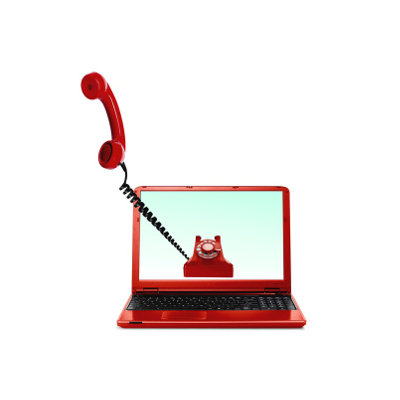
Take a good, hard look at your desk telephone. How often do you use it for day-to-day operations? With the advent of technologies like Voice over Internet Protocol (VoIP) and the smartphone, it seems silly to be reliant on the telephone that’s tethered to your desk. However, some people still aren’t ready to leave the office telephone behind in favor of these new technologies. But… why?
We all know how important an Internet connection is to the success of any business. In fact, it takes an exceptionally powerful cabling protocol to ensure that your business’s Internet connection remains constant. While many businesses take advantage of big cable companies like Time Warner Cable and Comcast for their Internet needs, a select few have the option of Google Fiber.
Windows 10 is making its rounds in the business environment, which is hardly surprising. Microsoft is known for making great operating systems that are ideal for both consumer use and workplace productivity. Though Windows 10’s adoption rate has been somewhat slow, it’s expected to be on par, or even surpass, other Windows OSs in terms of sheer usability over the next few years.
With technology being so important in the modern office, there are thousands of gadgets produced each year that are designed to work with existing technology to deliver marginal-to-significant increases to an individual’s productivity. Each year, many of these gadgets fail in some way or fall out of public consciousness quickly, becoming nothing but the answer to a trivia question a decade from now at your favorite watering hole.
It’s a known fact that technology doesn’t last forever. In fact, technology grows at such an astounding rate that some users often feel the need to replace their devices the second a bigger and better tech is launched. What if this unprecedented growth and increase in reliability become a hindrance to the sales of PC manufacturers?
Internet-users rejoice all over the world, for just last week, Internet Explorer 8, 9, and 10, will no longer be supported by Microsoft. That’s right; no more patches or security updates for good old IE. This makes continuing to use older versions of Windows a cause for concern. Perhaps this is for the best, but in light of this news, users of IE will want to either update to IE 11, or switch to a new browser.
With as many resources as you’ve invested in your company’s technology, you should do everything you can to protect it. An IT infrastructure that doesn’t have an Uninterruptible Power Supply (UPS) safeguarding its data, is putting the entire operation at risk. Here’s what you need to know about this important device.
Android smartphones are well known for taking advantage of the plethora of applications developed by Google, like your calendar and Google Drive. One of the best ways you can get the most out of your Android device is by using its Gmail application. We’ll walk you through how to add a new Gmail account to your device, and how to switch between your multiple Gmail accounts.