Tracking every single click may sound like an easy way to ensure your team is actually working, but it can backfire fast. Invasive surveillance can ruin company culture, kill creativity, and drive your best talent straight to the exit. Real leadership is about building a system that measures real progress without destroying trust.
IT Support Business Models by Macro Systems
When business leaders expect high output from their workforce, they carry a clear obligation to provide tools that support that standard. Outdated hardware, recurring system crashes, and slow networks quietly erode staff morale and prevent your team from performing at their actual potential. Operational friction is a leadership failure.
Throwing new software at a broken process only gives you automated chaos. When deadlines get missed and details fall through the cracks, the default reaction for many business owners is purchasing a new subscription or upgrading their tech stack, which usually leads to higher monthly bills without fixing the root cause.
Technology accelerates what you already have. If your underlying workflow is clunky or undefined, adding a new application will only make those existing flaws happen faster.
Every morning, millions of professionals sit down at their desks, open up Google Chrome, and manually navigate to the exact same five or six web pages just to get their workday started.
It is a minor routine, but those extra clicks and seconds add up to wasted time and unnecessary daily friction across your entire office. Luckily, you can easily tell your browser to do that heavy lifting for you automatically.
Your office technology rarely fails in a sudden, spectacular explosion. It would almost be easier if it did, because then you'd know exactly when to fix it. Instead, computers often die a slow, agonizing death that chips away at your team's productivity, a few seconds at a time.
Think about your car. If the engine drops out on the highway, you notice immediately. But if the alignment drifts a fraction of an inch every month, you just subconsciously adjust how you hold the steering wheel until one day your tires are completely bald.
Your best employees will check out when leadership focuses on the wrong metrics. They watch management avoid confronting systemic problems, micromanage daily routines, and ignore technical fixes while expecting peak performance. The truth is, when tracking active keyboard hours replaces tracking project milestones, high performers look for employment elsewhere.
This disconnect damages the entire business. When a business depends on surveillance tools to verify productivity, it signals a systemic failure in management rather than an issue with the staff. Competent professionals do not require digital supervision to complete their objectives. They require clear expectations, functional equipment, and the autonomy to manage their responsibilities.
A lot of IT consultants love to drop big, scary global statistics to convince business owners to take backup and disaster recovery seriously. They will wave a report in your face claiming that the average corporate network outage costs $5,600 per minute.
Of course, if you run a local business with 15 or 30 employees, a global enterprise statistic doesn't mean a thing to you. It's generic, it's irrelevant, and it feels like a high-pressure sales tactic.
That said, network downtime is expensive. When your server fails, your internet drops out, or a critical cloud application crashes, you aren't just dealing with an annoying technical glitch. You are actively hemorrhaging cash.

When a laptop becomes slow after a few months of heavy use, it can affect daily productivity. Applications take longer to load, internal fans run constantly, and the battery drains quickly. This is a common technical problem, but it does not mean you need to invest in new hardware. Frequently, you can resolve these performance issues by managing the software and configuration settings you already have.
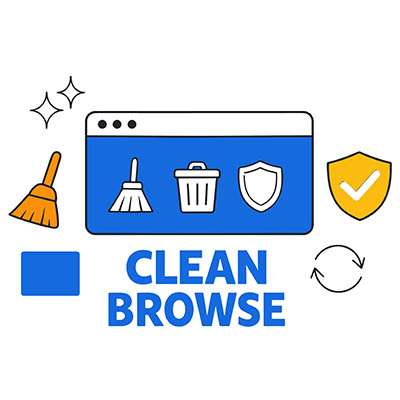
These days, the majority of our day-to-day business work happens entirely inside a web browser like Google Chrome or Microsoft Edge. Because we basically live in these applications, they quietly accumulate massive piles of background data, unvetted plugins, and tracking cookies over time.
You do not always need to throw money at a sluggish computer to solve a performance problem. Sometimes, it is just a matter of using the technology you already have in better, more effective ways. Listed below is a look at how to take the load off your hardware and get your systems back up to speed.
Setting up remote work was an act of pure survival back in 2020. Years later, many businesses still face the exact same daily technical headaches. Remote and hybrid work should not feel like an uphill battle for team members.
If a hybrid setup feels clunky, it usually boils down to three distinct technical friction points that need to be addressed directly.
Throwing new technology at an untrained workforce leads to frustration, tanks morale, and wastes money. Business owners frequently assume that buying advanced, AI-driven tools automatically makes a business faster, smarter, and more efficient. It does not. When technology changes, employees must change with it, which requires a deliberate investment in workforce reskilling.
Internal communication breakdown is one of the largest hidden costs in a growing business. Disconnected files and fragmented email chains directly translate to duplicated efforts, missed deadlines, and lost revenue. When your team spends hours every week just trying to locate the information they need to do their jobs, your profitability takes a hit.
Listed below is a look at how you can stop tracking down files and actually get back to productive work.
Most business owners believe that more security naturally means less speed. They accept a clunky user experience because they think that’s the price of safety. However, this exposes a dangerous paradox: When security is too difficult to use, your team becomes less secure. If it takes ten minutes and three different devices to log in, your employee won’t work harder, they’ll work around you, taking productivity shortcuts that bypass your defenses entirely.
Are you tired of switching between windows countless times to get the right information from one place to another? Not only is this pattern irritating, but it also wastes valuable time and welcomes errors.
However, Windows 11’s clipboard feature includes Clipboard History, which largely eliminates this problem. Let’s talk about what it is, what it can do, and, critically, how you can use it.
What do you do when you realize you’ve written three sentences of absolute gibberish?
What do most of us do? We lean on the Backspace key. We sit there, staring at the screen, watching the cursor slowly eat away at the alphabet like Pac-Man. The funny thing is that all that holding down the backspace key for five seconds is inefficient, and quite frankly, you’re better than that. It’s time to stop making a fool out of yourself and start tactically deleting your text. Listed below is how you do that:
I’d be willing to bet that one of any small or even medium-sized business’ biggest (or at least most frustrating) challenges is scheduling. Naturally, you want your workforce to be running at full capacity as much as possible, but James requested a half day to see his daughter’s piano recital on Thursday, and Lisa's life would be a lot easier if she had Thursday mornings free.
Fortunately, today’s tech makes dealing with all of this much easier, especially when paired with the right strategy for your business.