Let's face it, no matter how quickly you can type, there is only so much you can accomplish without the use of keyboard shortcuts. Perhaps you never cared to learn them, or maybe you never had the opportunity. Now that you own a small business, your productivity and efficiency is at stake. Thankfully, some of the most useful shortcuts utilize one common key: the Control key.
IT Support Business Models by Macro Systems
Everyone dreads presentations, but for different reasons. Some people are just afraid of public speaking, or they are just overall unorganized. In the end, well designed presentations are essential for your company's success, whether they are given to clients or to your employees. Thankfully, there are ways to minimize the stress that giving a presentation can cause. One of the best ways to prepare a presentation is to use a Microsoft PowerPoint slideshow as an aid.
However, it's very easy to fall into "PowerPoint Purgatory", a place filled with overburdened slideshows that last for hours on end. The amount of professionals who don't use PowerPoint effectively far outweigh those who do. Macro Systems is here to help by providing you with some useful tips to make your presentations both easy for the presenter and for the audience!

Just because you hit the delete button when using Microsoft Word doesn't necessarily mean that your information is gone forever. Thanks to Word's Track Changes feature, all of your deleted sentences can be easily retrieved. This is a very handy tool to help you out of a jam, but it can also be misused to leak secrets if you're not careful.
The end-of-support date for Windows XP is April 8. If you're still running XP, then you likely have a strong reason for it. Although, your reason may not be strong enough in light of how big of a security risk XP will be. Let's dismantle three of the most common reasons people are choosing to stick with XP.
Microsoft's Note-taking application is something of an enigma. Most of the time, Microsoft Office users have OneNote installed and don't even realize it or use it. This handly little secret has some pretty powerful features. Here are three tips that will change the way you take phone calls and write notes on your PC.
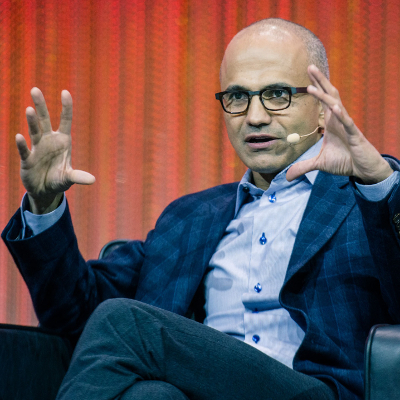
The CEO baton at Microsoft has been passed from Steve Ballmer to Satya Nadella, making Nadella the third CEO in Microsoft's well-publicized history. You may not think that this will have an impact on your business, but considering how intertwined Microsoft is with the the global economy, you may be surprised to learn that this move will affect your company.
If you haven't done it already, then on the very top of your 2014 to-do list should be upgrading from Windows XP. Microsoft has scheduled to end support for its popular decade-old OS on April 8, 2014, which is only a few short months away. Here are five tips that will help you with upgrading from Windows XP.
Windows XP is slated by Microsoft to have its support end on April 8, 2014. This means that everyone using XP beyond this date will no longer be able to receive security updates from Microsoft, which will turn Windows XP into a liability. You may be waiting until April to upgrade, but as you will see, even waiting a few months to upgrade is a risky move.
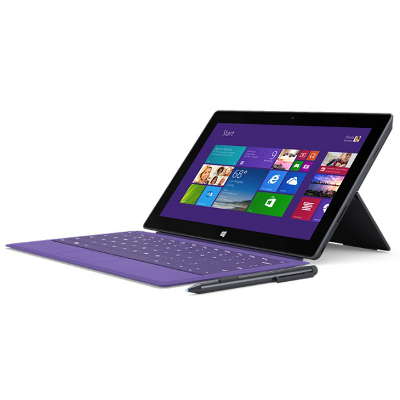
Microsoft is well known for their software, but manufacturing tablet computers is a new venture for the tech giant. It's been almost a year since Microsoft's signature tablet the Surface Pro was released, and now the second generation of Surface, the Surface Pro 2, is available. Here's an overview on how the new tablet stacks up.
How new are the windows in your home? Do you have problems when you're trying to open them, such as they don't stay up or simply won't budge? How about when you walk by them, do you feel a draft because their seals are shot? When this happens, what's the first thing you think? More than likely it's "I need to replace them ASAP". If you think this way when it comes to your home, then why not the same when it comes to your business?
Microsoft PowerPoint 2013 Presenter View has new improvements designed to enhance your presentation. Presenter View is a helpful feature that allows the presenter to see a separate screen that's different from what the audience sees. The presenter's screen is used to display notes, previews, and other helpful tools. Here's how you can take full advantage of this PowerPoint feature.
Smartphones and tablets are the new norm. Most professionals have begun to utilize mobile devices to accomplish tasks when they are away from their work PC. Not to say that these devices offer all that much in the way of productivity. Sure, there are plenty of software titles either ported over from the PC or developed directly for the mobile environment, but sometimes these titles don’t offer the functionality, or they take up too many of the device’s resources to be of much use. With these variables to consider, manufacturers are searching for the best way to deliver devices with enhanced productivity capabilities, right out of the box. One of these manufacturers is Microsoft.
With Windows 10 to be launched on July 29th, all thoughts are drifting toward the inevitable upgrade to Microsoft’s brand-new operating system. However, we’d like to take a moment to travel back in time to last spring, when Windows XP expired. Remember how we warned that your business would need to shell out big bucks for custom support if you want to keep running Windows XP? It turns out that there are some who just can’t let go of the expired OS; including the US Navy.
Just months after releasing their newest operating system, Windows 10, Microsoft is now updating the world’s most popular productivity software. Office 2016 makes several improvements over the Office 2013 versions of Word, Excel, PowerPoint, and the other applications that businesses from all over the world rely on to stay productive. The software, which focuses on making productivity and cooperation possible, has gotten a substantial upgrade in collaborative features.
Internet-users rejoice all over the world, for just last week, Internet Explorer 8, 9, and 10, will no longer be supported by Microsoft. That’s right; no more patches or security updates for good old IE. This makes continuing to use older versions of Windows a cause for concern. Perhaps this is for the best, but in light of this news, users of IE will want to either update to IE 11, or switch to a new browser.