
We’ve all seen the fields CC and BCC in our email, and most of us have probably used them before. Where did we get those terms, and how is each of them properly utilized?

We’ve all seen the fields CC and BCC in our email, and most of us have probably used them before. Where did we get those terms, and how is each of them properly utilized?
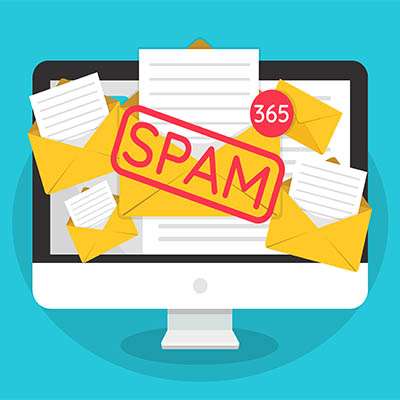
While spam filtering can be a great tool for your business’ own defenses, the spam filtering that your contacts have in place could prevent your messages from reaching them. Listed below are a few ways that you can help prevent your emails from being caught up in these filters before your contacts or prospects can read them.
With so much work time being spent involving email, and Gmail holding a 33.7 percent market share, it shouldn't be a surprise that many companies wouldn’t mind it if a little less time were spent in Gmail. As it happens, rewriting similar emails over and over again, one of the most irritating expenditures of your time, can be eliminated by creating Gmail templates.

Gmail has been as secure as most other email platforms, but email is email and there are times when you send an email that isn’t opened promptly and you’d rather not have the information in that message get sent around or archived where you can’t control it. Gmail has now added a feature that allows users to send messages that will delete themselves in a predetermined time frame, and work to keep the contents of those messages from being shared.
Gmail is as secure as any comparable email platform, but there may be some messages you send that you’d rather not have lingering in someone’s inbox. On the other hand, did you know that Gmail allows you to send messages that delete themselves after a set timeframe, while also preventing the contents from being forwarded, downloaded, copied, or printed?
While email is an incredibly convenient tool, it can quickly become a time-drain if finding the right messages to read and respond to becomes an overbearing responsibility. Luckily, there is a simple solution to remedy this that, after spending some time learning about the full capabilities of your email platform, can once again make your email the convenient tool it is was designed to be.
When we talk about modern cybersecurity, there seems to be a lot of emphasis put on phishing attacks and ransomware. This is for good reason: not only can either of these attacks create significant difficulties for a business, they are often used in tandem. Why are these threats are so potent, and why do they so often show up together?
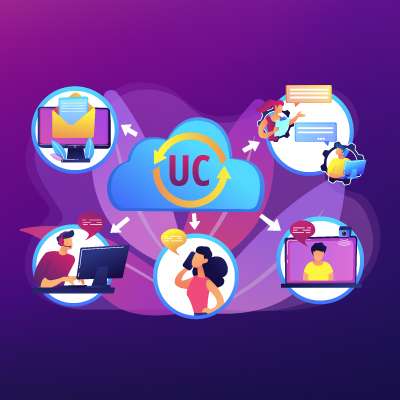
As businesses have progressed, the use of tools to enhance their communication has become paramount to success, with ongoing global developments only contributing more to their importance. With new challenges and opportunities arising each day, your team needs the tools that allow them to work together and accomplish all that needs to be done.
Email is one of the most often used business tools available, but as with any tool, some options are better than others. Listed below are some tips on how to best utilize email in your business by using hosted email.

Microsoft Outlook has some cool, overlooked features to help reduce the time you spend managing your email. Listed below are two tips on this subject.
With a few noteworthy exceptions, modern businesses are largely in a holding pattern, waiting for the time to come when their operations can resume in full force. When that time arrives, however, there are likely to be some growing pains as everyone settles back into their old processes and operations. To help diminish these impacts, we recommend spending this time to enhance your business communications.

If you were to search Google for “the most imperative thing for a business to be successful,” a wide range of answers appear, from team management, to sales skills, to relationship building, to decision making. On the other hand, among the vast majority of the results, there was one common thread: the ability to communicate.

Email is one of the most important tools that a business has at its disposal; however, its true value can easily be wasted if it isn’t utilized to its fullest potential. To avoid this, we’ve put together a few ways to streamline your business emails, and maybe correct a few bad habits along the way.
Email is obviously an incredibly useful tool in the business setting, helping with a wide variety of communication needs. On the other hand, in order to make the most of your emails, you need to have an email client that allows you to do so. Below we’re pitting two major email clients against each other to see which one offers the features that best suit your business and its needs.
Phishing has swiftly become the most popular form of cyberattack due to the method’s simplicity; it solely relies on a user’s gullibility. The weakest link to any business is usually the employees. In order to protect your business, you and your team need to recognize these social engineering cyberattack attempts. Below are a few tips on how to identify a phishing attempt.
Despite its eccentric name, phishing is a very significant threat to everyone, especially modern businesses. Thus, you must be prepared to identify its warning signs and circumvent risky situations. Listed below are a few tips to prevent you from becoming a phishing victim; make sure you share them with your employees as well!
The email signature is a usually overlooked opportunity for a company to appear that much more professional. Listed below are directions on how to create your email signature in Gmail.

You may have heard of phishing: the method cybercriminals use to scam their targets by impersonating someone that their targets would trust, requesting access credentials or other sensitive information. Did you know that there are specific types of phishing? Let's review spear phishing, one of the biggest risks to your business.
Our modern society is infamously connected, especially in the business sense; this fact can make not receiving a reply back from an email jarring. While we all need a break every now and then, we also need to reply to our contacts efficiently, which is where the ‘out of office’ message in Gmail comes into play.

An email’s imperative
This much is clear fact -
However you need to stay safe
From an email cyberattack.


